GPS Tracking & Field Service Management Software: Stop $4K+ Phantom Hours
Phantom hours are quietly draining $4K+ from field service businesses every month. GPS tracking in field service management software stops the bleed fast.
The Phantom Hours Problem Is Costing You More Than You Think
If you run a field service business, you already know the gut-punch feeling: you paid for eight hours of labor on a job that should have taken five. Your field service management software should be catching this, but if you're still relying on paper timesheets or the honor system, you're probably hemorrhaging money every single week.
We're not talking about the occasional long lunch. We're talking about a pattern. Technicians padding start times, logging drive time that never happened, or "on-site" check-ins from a gas station two miles away. The numbers get ugly fast, and by the time May rolls around and your busy season is in full swing, that slow bleed becomes a serious wound.
According to the U.S. Bureau of Labor Statistics American Time Use Survey, workers consistently overestimate the time they spend on productive tasks. In field service, where supervisors aren't watching over technicians' shoulders, that gap between logged hours and actual hours can run 15 to 25 percent on any given day. On a crew of five technicians each billing 40 hours a week at $35 per hour, that's over $4,200 in phantom labor costs every single month.
Here's the thing: this isn't always intentional fraud. Sometimes it's sloppy habits. Sometimes it's a technician who genuinely lost track of time. Either way, you're eating the cost.
Why May Is the Worst Month to Ignore GPS Tracking
Spring is when field service businesses ramp up hard. HVAC contractors are hitting pre-summer tune-up rushes. Landscaping companies are running crews six days a week. Plumbing and electrical contractors are juggling remodel season and emergency calls at the same time. More jobs mean more technicians in the field, and more technicians in the field means more opportunity for time and location discrepancies to slip through the cracks.
A McKinsey analysis on field operations found that companies without real-time location visibility lose an average of 20 percent of their potential productive hours to scheduling gaps, idle time, and unverified travel. When you're running five or six crews during peak season, that's not a minor inefficiency. That's a profit-draining problem that compounds daily.
May is also the month when new seasonal hires are on the job. They don't know your routes. They haven't internalized your expectations. Without GPS-verified time tracking, you have no way to hold them accountable or identify coaching opportunities before bad habits get locked in. If you're managing workforce challenges this time of year, check out May Workforce Burnout: Field Service Management Software Prevents $8K+ Turnover for a deeper look at how the season affects your team.
How Field Service Management Software Shuts Down Phantom Hours
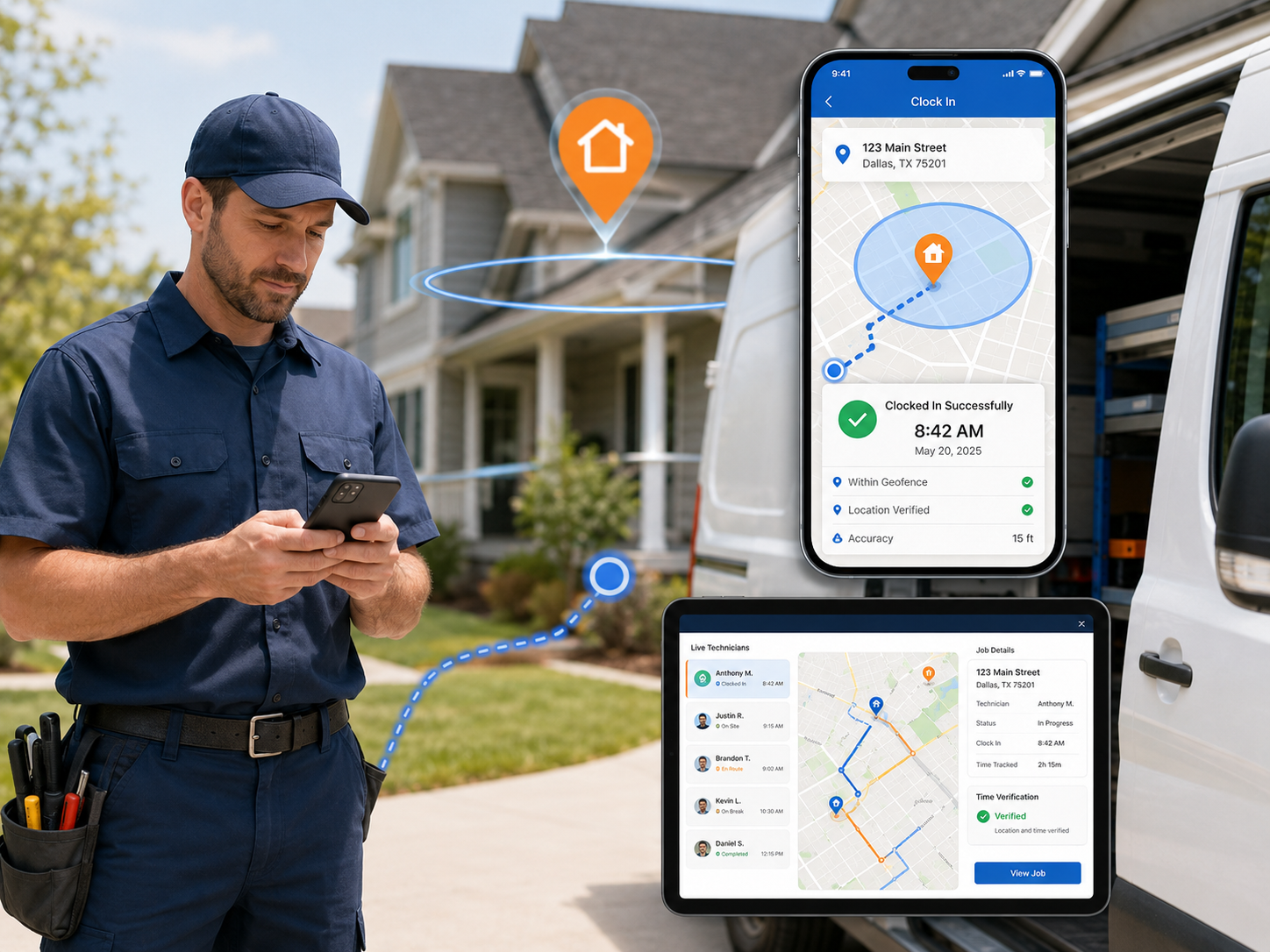
Modern field service management software doesn't just log when someone punches in. It cross-references that timestamp with GPS coordinates, job site geofencing, and route history. If a technician clocks in at 7:45 AM but the GPS data shows their phone was parked at a coffee shop until 8:30 AM, the system flags it. You don't have to play detective. The software does it for you.
Here's what a robust field service app with GPS time tracking actually does in practice:
- Geofenced clock-in and clock-out: Technicians can only log hours when their device is within a set radius of the job site. No more "I clocked in from the driveway" excuses.
- Real-time location verification: Dispatchers and managers can see exactly where every technician is, right now, on a live map. No phone calls, no guessing.
- Automated route logging: Every drive is recorded, so you can verify travel time claims against actual GPS data. If someone says they drove 45 minutes to a job that's 20 minutes away, you'll know.
- Job start and stop timestamps with location tags: Every status update is tied to a GPS coordinate and a timestamp, creating an airtight record for payroll and billing purposes.
- Discrepancy alerts: When logged hours don't match location data, managers get flagged automatically so issues get addressed before payroll runs.
This isn't about micromanaging your best technicians. It's about creating a fair, transparent system where everyone is accountable to the same standard. Good techs actually appreciate it because it protects them from false accusations. FieldServ AI bundles all of these capabilities into a single platform built specifically for contractors, so you're not piecing together three different apps to get this done.
The Real Dollar Math on Phantom Hours (And How to Stop the Bleeding)
Let's put some concrete numbers on this so you can see what's actually at stake for your business.
Say you run a mid-sized plumbing or HVAC operation with six technicians. Average hourly labor cost with benefits is $40. If each technician is logging just one phantom hour per day, five days a week, you're paying for 30 fake hours every week. That's $1,200 per week, $4,800 per month, and over $57,000 per year in labor costs that produced zero revenue.
Even if your problem is half that bad, you're still looking at $25,000 to $30,000 a year going up in smoke. For context, that's a new van, two full equipment overhauls, or a serious marketing budget to bring in new customers.
Now consider the secondary damage. If phantom hours inflate your job cost estimates, you'll underprice future jobs because your baseline data is dirty. You'll also miss upsell opportunities because you think jobs are taking longer than they actually are. This is why contractor crm software with built-in time tracking isn't just an operational tool; it's a financial accuracy tool. Combine it with strong invoicing practices and you close the loop entirely. Speaking of which, see how slow invoicing compounds the problem in May Invoice Delays: Field Service Management Software Fixes Slow Pay.
What Good GPS Time Tracking Looks Like Inside a Field Service CRM
Not all GPS tracking is created equal. A basic fleet tracker tells you where the van is. A real field service CRM connects location data to the entire job lifecycle: the customer record, the work order, the invoice, the technician's performance history, and your profit reporting dashboard.
When those systems talk to each other, the power multiplies. You can see which technicians complete jobs fastest without sacrificing quality scores. You can identify which job types consistently run over estimated time and adjust your quoting accordingly. You can spot patterns like a specific technician who always logs extra drive time on Friday afternoons.
For hvac business software or plumbing business software, this matters even more because your jobs are often in residential neighborhoods with real parking and access challenges. GPS data gives you the context to have honest conversations about what's actually happening in the field versus what's being reported. Pair this with job photo documentation and timestamped notes, and you have a complete picture of every job from dispatch to completion.
The FieldServ AI automation tools also handle follow-up workflows so your office staff isn't manually chasing down time discrepancies. Alerts go out automatically, exceptions get flagged, and your payroll process gets cleaner every week.
If equipment downtime is eating into your May profitability alongside labor issues, check out May Equipment Failures: Field Service Management Software Stops $10K+ Downtime for strategies that work alongside GPS tracking to protect your margins.
Three Steps to Start Recovering Phantom Hour Losses This Week
You don't have to overhaul your entire operation overnight. Start here:
- Audit last month's timesheets against job completion records. Pull three or four jobs where the hours felt high and compare logged time to what the job history actually shows. This one exercise will tell you immediately how big your problem is.
- Set a geofencing policy before the next pay period. Even a simple rule, like requiring GPS-enabled clock-ins within 500 feet of the job site address, creates accountability fast. Communicate it to the team as a fairness and accuracy measure, not a punishment.
- Invest in a platform that connects time tracking to your CRM and billing. Standalone GPS apps help, but they don't solve the problem completely. You need location data tied to actual job records, customer history, and profit reporting so you can act on what you find. FieldServ AI was built specifically for this kind of end-to-end visibility for field service businesses.
The contractors who recover from phantom hour losses quickly are the ones who treat the fix as a systems problem, not a people problem. Build the right system and the accountability follows naturally.
Ready to stop guessing and start seeing exactly where your labor hours are going? Contact Us at FieldServ AI and we'll show you how GPS time tracking, geofencing, and automated discrepancy alerts work together inside one platform built for contractors like you. The setup takes less time than you'd think, and the ROI shows up on your very first payroll cycle.
Frequently Asked Questions About GPS Tracking and Field Service Management Software
Q: How accurate is GPS time tracking in field service management software?
Modern GPS tracking in a quality field service management software platform is accurate to within a few meters using standard smartphone GPS hardware. Geofencing radius settings are configurable, typically ranging from 100 to 500 feet, so you can set thresholds that match your job types. Larger commercial job sites may warrant a wider radius, while residential service calls can use tighter parameters.
Q: Will technicians push back against GPS tracking?
Some initial resistance is normal. The best approach is to frame GPS tracking as a tool for accuracy and fairness, not surveillance. When technicians understand that GPS data also protects them from false complaints or disputed job times, most come around quickly. Transparency about what data is collected and how it's used goes a long way.
Q: What if a technician's phone GPS is turned off or they don't have a smartphone?
Most platforms, including FieldServ AI, allow you to set policies that require GPS to be active for clock-in to register. If GPS is unavailable, the system flags the entry for manual review rather than rejecting it outright. For technicians without smartphones, dedicated GPS hardware or a shared tablet solution can fill the gap.
Q: Can GPS tracking data be used in payroll disputes?
Yes, GPS logs combined with timestamped job records create a clear, auditable trail that is useful in payroll disputes. Always consult your employment attorney about your specific state's regulations on employee monitoring before implementing a new GPS policy, as requirements vary by location.
Q: How quickly can a small contracting business see ROI from GPS time tracking?
Most small to mid-sized contractors report measurable reductions in logged overtime and phantom hours within the first two to three pay periods after implementation. If your phantom hour problem is running even 10 percent of your weekly labor, the software pays for itself many times over within the first month of use.
Tags
Written by
FieldServ AI Team
Field service management insights from the FieldServAI team.
Related Articles

The August Margin Leak: Why Peak Season Kills Profit
Contractors lose margin in busy months, not slow ones. Here are four peak-season leaks that never reach your revenue report, the math behind them, and why weekly margin review beats a monthly close.
Field Service Management Software: Set It Up in 48 Hours, No IT
Think field service management software needs IT skills? Myth busted. Here's the exact 48-hour, no-code setup plan solo contractors use to go live.
June No-Shows Cost $7K+: Field Service Management Software Fix
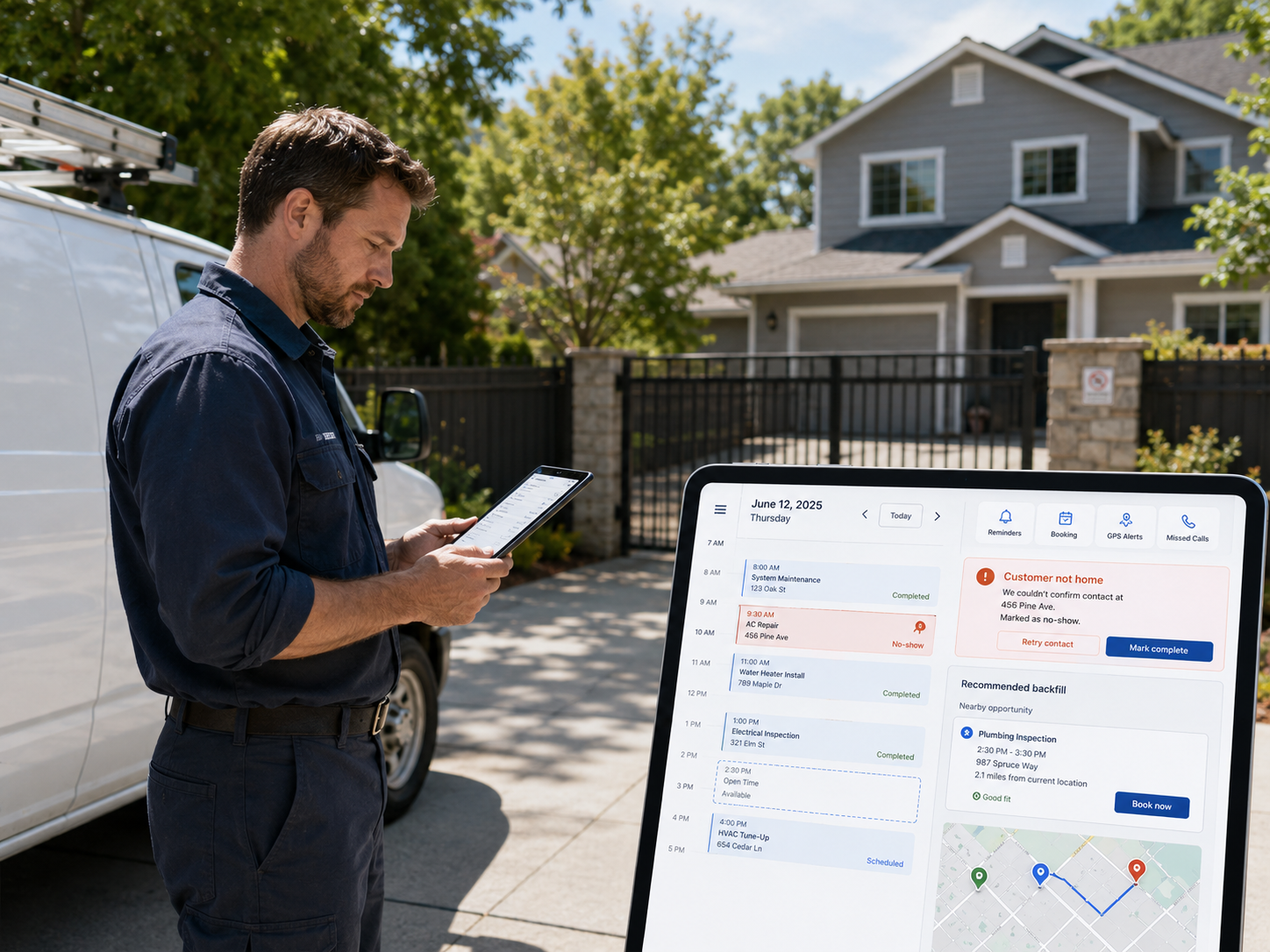
June no-shows can cost field service pros $7K+ a month. Here are 3 field service management software features that stop them before 2 PM.
See FieldServ AI in Action
Get a personalized demo and see how AI-powered field service management can transform your business.
Book Your Demo