TL;DR:
Most Magic Valley landscaping businesses lose 20-30% of potential revenue—not because they lack skill, but because of poor follow-up systems, disorganized scheduling, and delayed invoicing. This guide identifies the three biggest profit leaks in landscaping operations and shows practical ways to fix them without overhauling your entire business overnight.
You gave a great quote. The customer seemed interested. Then… silence.
Or worse: You landed the job, but your crew showed up on the wrong day, or you forgot to invoice until three weeks later.
If this sounds familiar, you’re not alone. Most landscaping businesses in Twin Falls, Burley, and Jerome lose 20-30% of potential revenue—not because they’re bad at landscaping, but because of what happens before and after the job.
The problem isn’t your work quality. It’s the gaps in your business systems. Today, we’re going to identify three specific places where Magic Valley landscaping businesses leak money, and more importantly, how to plug those leaks.
Problem #1: You’re Losing Leads Because You’re Not Following Up
You send a quote via text or email. The customer says “I’ll think about it.” You move on to the next job. A week later, you realize you never followed up—and they hired someone else.
This scenario plays out dozens of times every season for most landscapers. And it’s not because you’re lazy or don’t care. It’s because you’re busy doing the work, not chasing leads.
Here’s why this problem is costing you more than you think: research shows that 80% of sales require five follow-up attempts, but most contractors stop after one. That means you’re potentially losing four out of five jobs simply because you didn’t reach out again.
Think about the math for a minute. If you send out 20 quotes per month with an average value of $2,500, and you only close 20% of them because you’re not following up, that’s $10,000 in monthly revenue ($120,000 annually). But if you followed up consistently and doubled your close rate to 40%, you’d add an extra $10,000 per month to your business—$120,000 per year—without doing any additional marketing.
Why Follow-Up Falls Through the Cracks
The challenge isn’t that you don’t want to follow up. It’s that manual follow-up systems don’t work when you’re juggling multiple jobs:
- You’re knee-deep in a mulching project and forget to call that estimate from Tuesday
- The quote is buried in your text messages somewhere between crew updates and supplier confirmations
- You genuinely don’t remember who you need to follow up with because there’s no central tracking system
- By the time you do remember, it’s been 10 days and the lead is ice cold
The Fix: Build a Follow-Up System That Works Without You
The solution isn’t working harder—it’s creating a system that follows up automatically. You need a way to:
- Capture every lead in one place – Whether they call, text, email, or fill out a form on your website
- Set automatic reminders – A system that prompts you (or does it automatically) to follow up 3 days, 7 days, and 14 days after sending a quote
- Track which leads need attention – A dashboard that shows you exactly who’s waiting for follow-up
Some landscapers use spreadsheets and calendar reminders. Others use CRM tools that automate customer follow-ups with text and email sequences. Either way, the key is having a system so no lead falls through the cracks.
One Twin Falls landscaping company implemented automated text follow-ups after sending quotes. Their simple three-message sequence (“Did you get our quote?” at day 3, “Any questions about the project?” at day 7, and “We’d love to work with you” at day 14) increased their quote-to-job conversion rate from 18% to 34%—nearly doubling their close rate without spending a dollar on new advertising.
Ask yourself: How many quotes did you send last month? How many did you follow up on? That gap is where your lost revenue lives.
Problem #2: Your Scheduling Is Costing You Time and Money
It’s 7 AM. Your crew is waiting at the shop. You’re scrambling to figure out which jobs are happening today, who’s going where, and what equipment they need. By the time everyone’s dispatched, you’ve burned 45 minutes—and your first appointment is already annoyed you’re running late.
Sound familiar?
Disorganized scheduling is one of the biggest hidden costs in landscaping. It shows up as:
- Wasted drive time – Crews zigzagging across town because jobs weren’t routed efficiently
- Missed appointments – Double-bookings or showing up on the wrong day
- Constant interruptions – Crew members calling every 20 minutes asking for job details, customer addresses, or gate codes
- Lost productivity – Time spent every morning figuring out who goes where instead of actually working
The Real Cost of Bad Scheduling
Let’s do some quick math. If your crew loses just 30 minutes per day to scheduling confusion, phone tag, and inefficient routing, that’s 2.5 hours per week. Over a 40-week landscaping season, that’s 100 hours of lost productivity per crew member.
If you’re billing at $75 per hour and you have a three-person crew, disorganized scheduling is costing you $22,500 per year in lost revenue. And that doesn’t even account for the fuel costs from inefficient routing or the customer frustration from missed appointments.
Why Manual Scheduling Breaks Down
When you’re a solo landscaper with five clients, you can manage everything in your head or on a whiteboard. But once you hit 15-20 active jobs, multiple crew members, and weather-related schedule changes, manual systems collapse:
- Jobs are tracked across text messages, sticky notes, a whiteboard, and your memory
- Crew members don’t have access to customer details, so they’re calling you constantly
- Last-minute changes (rain delays, customer cancellations, equipment breakdowns) create a domino effect of confusion
- There’s no easy way to see your schedule for the week or identify gaps where you could fit emergency jobs
The Fix: Give Your Crew Mobile Access to Job Details
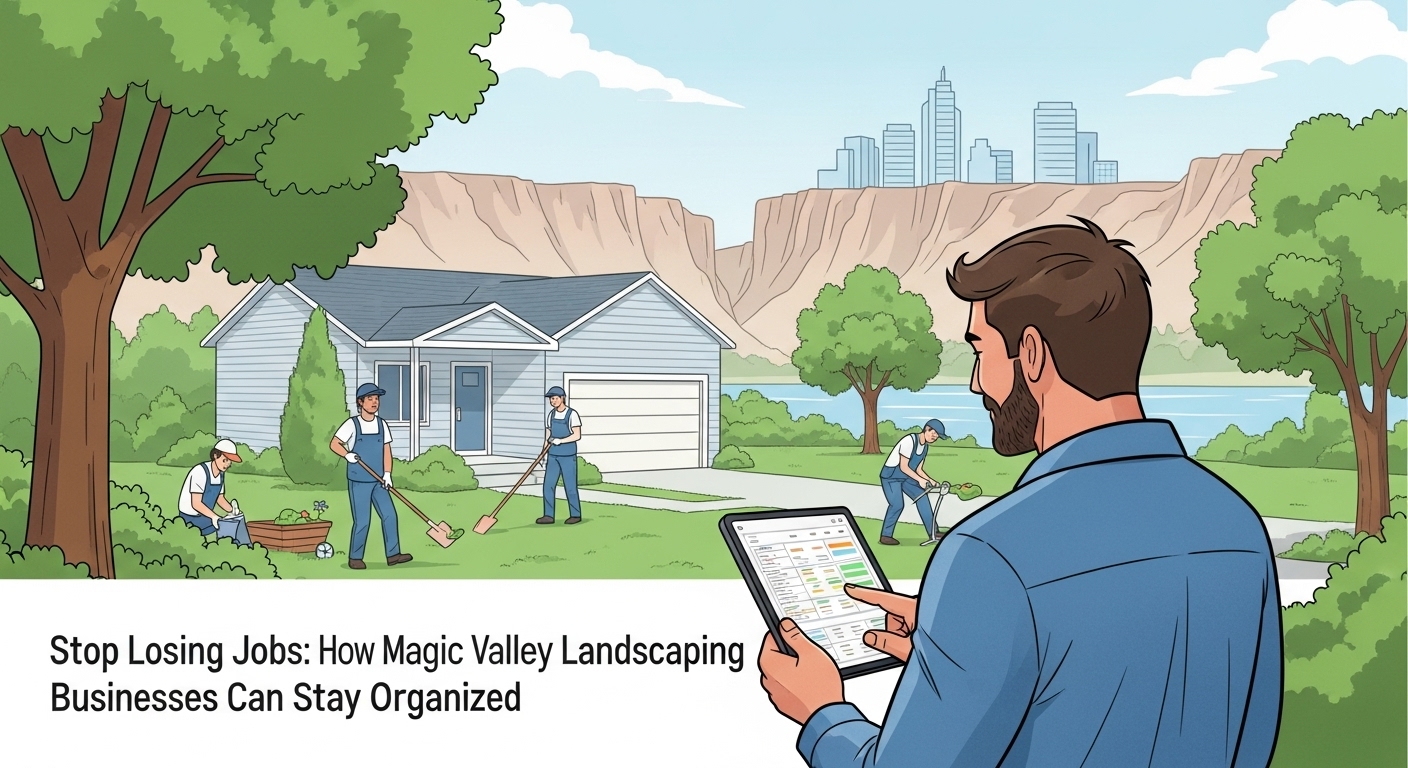
The best landscaping operations in Magic Valley use digital scheduling systems that put job information directly in crew members’ hands. This doesn’t have to be complicated—it can be as simple as a shared Google Calendar or as robust as field service software designed specifically for contractors.
The key features that make a real difference:
- Mobile access – Crew members can see today’s jobs, tomorrow’s schedule, and all customer details from their phones
- Route optimization – Jobs are sequenced by location to minimize drive time and fuel costs
- Real-time updates – When a job gets rescheduled, everyone sees the change instantly instead of playing phone tag
- Customer information – Gate codes, parking instructions, pet warnings, and project details are attached to each job
A landscaping company in Burley switched from text-based scheduling to a mobile field service app. Their crew could see job addresses, customer notes, required equipment, and arrival windows right from their phones. The result? They cut morning dispatch time from 45 minutes to 10 minutes and added two extra jobs per week just by being more efficient with their time.
The company owner told us: “I used to spend the first hour of every day answering the same questions: Where am I going? What am I doing? What time should I be there? Now my guys just check the app and go. It’s given me back 5 hours per week.”
Problem #3: You’re Doing the Work But Not Getting Paid on Time
You finished a $3,500 landscaping project two weeks ago. The customer loved it. But you haven’t sent the invoice yet because you’ve been too busy with other jobs. By the time you finally bill them, they’ve already forgotten the details—and now they’re questioning the charges.
This is one of the most frustrating problems in the landscaping business: you do great work, the customer is happy, but you’re still waiting 30-60 days to get paid because invoicing fell through the cracks.
Why Delayed Invoicing Kills Your Cash Flow
Every day you wait to send an invoice is another day your money sits in the customer’s bank account instead of yours. And the longer you wait, the more problems compound:
- Memory fades – After two weeks, customers don’t remember exactly what was included in the scope of work
- Payment delays – Even if they want to pay, most customers wait until they receive an invoice to cut a check
- Questioning charges – The longer the gap between service and invoice, the more likely customers are to dispute line items
- Cash flow problems – You’re paying your crew, buying materials, and covering fuel costs while waiting for payment on completed work
Think about it this way: if you complete four jobs per week at an average of $2,000 each, but you’re invoicing two weeks late, you’re constantly operating with $16,000 of unpaid receivables. That’s money you’ve already earned but can’t access.
Why Invoicing Gets Delayed
The problem isn’t that you don’t want to get paid. It’s that invoicing happens after you’ve moved on mentally to the next job:
- You finish the project, the customer is happy, you pack up and leave
- You’re immediately focused on the next job site, not on paperwork
- By the evening, you’re too tired to sit down and create invoices
- Days turn into weeks, and suddenly you’re billing for work from three weeks ago
The Fix: Invoice Before You Leave the Job Site
Professional landscaping businesses invoice immediately after job completion—ideally before the crew even leaves the property. This isn’t about being pushy; it’s about capturing the work while it’s fresh in everyone’s mind.
Modern mobile invoicing tools let you:
- Create invoices from your phone – No need to return to the office or wait until evening
- Collect digital signatures – Customer signs off on the completed work right there
- Accept payments on the spot – Credit card processing means you can get paid the same day
- Send professional invoices – Automatically email a PDF invoice to the customer
One Jerome landscaping contractor implemented same-day invoicing using a mobile app. His average time-to-payment dropped from 35 days to 12 days. That improvement alone solved his cash flow problems and eliminated the awkward conversations about overdue payments.
He explained it this way: “I used to dread invoicing because I’d be billing for jobs from three weeks ago and customers would say ‘remind me what you did again?’ Now I walk them through the completed work, they sign off on my tablet, and the invoice hits their email before I’m even off their property. I get paid in less than two weeks instead of over a month.”
The faster you invoice, the faster you get paid. It’s that simple.
The Common Thread: Manual Processes Don’t Scale
Notice a pattern? All three problems—lost leads, disorganized scheduling, delayed payments—stem from the same root cause: manual processes that don’t scale.
When you’re a solo landscaper with five clients, you can manage everything in your head. You remember who needs a follow-up call. You know where everyone’s supposed to be tomorrow. You can send invoices on Sunday evening while watching TV.
But once you hit 20+ active jobs, multiple crews, and a pipeline of new leads, manual systems break down. Your memory fails. Your whiteboard runs out of space. Your text message threads become impossible to follow. Important tasks slip through the cracks.
This isn’t a failure on your part—it’s just reality. Manual systems have a natural limit, and most landscaping businesses hit that limit somewhere between $150,000 and $300,000 in annual revenue.
That’s why successful landscaping businesses eventually adopt field service management systems. Not because they love technology, but because they’re tired of losing money to preventable mistakes.
What to Look for in a Field Service System (If You’re Ready for One)
How do you know when it’s time to move beyond spreadsheets, whiteboards, and text messages? Here are the warning signs:
- You’ve lost a job because you forgot to follow up on a quote
- Your crew has shown up at the wrong address or on the wrong day
- You’re constantly answering the same questions: “Where am I going? What am I doing? What time?”
- Invoices are taking more than a day to send after completing work
- You have no clear picture of next week’s schedule or your current pipeline of leads
- You’re working 60+ hours per week but a significant chunk of that is administrative work, not actual landscaping
If you’re experiencing any of these issues, it’s time to consider a system that handles the business side of landscaping so you can focus on the work.
What Good Field Service Software Should Do
Not all field service systems are created equal. Many are designed for large enterprises with dedicated IT departments, not for small landscaping crews. Look for tools that:
- Manage leads and automate follow-ups – Every quote, estimate, and potential customer tracked in one place with automated reminders
- Provide mobile scheduling – Crews see job details on their phones without calling the office
- Enable same-day invoicing – Create and send invoices from the job site, accept payments in the field
- Offer offline capability – Works even in areas with poor cell service, which is common in rural Magic Valley properties
- Integrate with existing tools – Syncs with QuickBooks, Google Calendar, and other software you already use
- Cost less than the competition – Affordable enough for small teams without enterprise bloat
FieldServ AI was built specifically for contractors—not Fortune 500 companies. It handles scheduling, quoting, invoicing, and customer communication in one mobile-first platform designed for field service businesses. Because it’s designed for small teams, the pricing is dramatically lower than enterprise tools (around $70/month vs. $300-400 for platforms like Housecall Pro or Jobber).
The Front Office and Back Office: A Complete System
Here’s something most landscapers don’t realize: field service management is only half the equation. FieldServ AI is excellent at managing the work once you have it—scheduling crews, tracking jobs, collecting payments—but it doesn’t help you generate new leads in the first place.
That’s where the partnership between FieldServ AI and LeadProspecting AI becomes powerful.
Think of it this way:
- LeadProspecting AI = Front office – Attracts leads through your professional website, captures contact information, automates follow-up sequences, manages your social media presence, and collects customer reviews
- FieldServ AI = Back office – Schedules the work, dispatches your crews, tracks job progress, and handles invoicing and payments
Together, they create a complete business system:
- A potential customer finds you through Google search and lands on your professional website (built with LeadProspecting AI)
- They fill out a contact form requesting a quote
- LeadProspecting AI captures their information and automatically sends a follow-up text: “Thanks for reaching out! We’ll have a quote to you within 24 hours.”
- You create the quote in FieldServ AI and send it to the customer
- LeadProspecting AI automatically follows up 3 days later: “Did you have any questions about our quote?”
- The customer accepts, and the job moves into FieldServ AI for scheduling and execution
- Your crew completes the work and invoices on-site using FieldServ AI
- After payment, LeadProspecting AI automatically sends a review request, turning satisfied customers into online testimonials that attract more leads
This is how professional service businesses operate: they have systems that attract customers and systems that deliver the work efficiently.
The Founders Club: Lifetime Pricing for Early Adopters
Right now, both platforms are offering special pricing through the Founders Club program—limited to the first 200 contractors who sign up.
Instead of paying $300-400 per month for similar tools from larger competitors, Founders Club members get:
- Access to both LeadProspecting AI (website, CRM, marketing automation) and FieldServ AI (scheduling, dispatching, invoicing)
- Lifetime locked-in pricing at $70/month for solo operators
- Additional users at $25/month (vs. $50-75/month with competitors)
- Priority onboarding and local support from a real team, not a help desk ticketing system
- 21-day free trial with no credit card required
Once the first 200 spots are filled, pricing returns to standard rates. The Founders Club is designed to help early adopters lock in affordable pricing while the platforms are still building their initial customer base.
Whether you choose to join Founders Club or not, the principle remains the same: successful landscaping businesses invest in systems that prevent revenue leaks. The cost of not fixing these problems—lost leads, scheduling chaos, delayed payments—is far higher than the monthly cost of tools that solve them.
You Don’t Have to Fix Everything at Once
If you’re feeling overwhelmed, here’s the good news: you don’t need to overhaul your entire business overnight.
Start with the problem that’s costing you the most money right now:
- Losing leads? Fix your follow-up system first. Set up a simple spreadsheet with automatic reminders, or use a CRM tool that texts customers automatically after you send quotes.
- Scheduling chaos? Get your crew on a shared digital calendar. Even a simple Google Calendar shared with your team is better than morning phone calls and confusion.
- Delayed payments? Start invoicing same-day. Create a template invoice on your phone and force yourself to send it before leaving each job site.
Pick one area, fix it, and measure the results. Once that system is working, move on to the next problem.
The landscaping businesses that dominate markets like Twin Falls, Burley, and Jerome aren’t necessarily the best at installing sprinklers or laying sod. They’re the best at running a business. And running a business means having systems that work even when you’re not looking.
Building Partnerships That Generate Consistent Work
One often-overlooked strategy for generating steady landscaping work is partnering with general contractors and property management companies who need reliable subcontractors.
Take SC Construction in Twin Falls as an example. They manage multiple residential and commercial projects that require landscaping services—but they don’t have a landscaping division. Instead, they work with trusted local landscaping contractors who can keep up with their project timelines and communicate professionally.
Here’s what makes a landscaping company attractive as a subcontractor partner:
- Reliable scheduling – You show up when you say you will because your scheduling system actually works
- Professional documentation – You provide clear quotes, progress updates, and final invoices that integrate with their project management
- Consistent communication – They don’t have to chase you down for updates because your systems handle that automatically
When you have professional business systems in place—the kind we’ve been discussing throughout this article—you become a more attractive partner for established companies that need reliable subcontractors.
Building even two or three of these partnerships can provide a steady baseline of work throughout the season, reducing your dependence on one-off residential customers and giving you more predictable revenue.
The key is to approach these relationships professionally: meet deadlines, communicate clearly, and show up with systems that make you easy to work with. Companies like SC Construction actively seek landscaping partners who can match their level of professionalism—and having solid business systems is what separates the pros from everyone else.
Ready to Stop Losing Money on Preventable Problems?
The three problems we’ve covered today—poor follow-up, disorganized scheduling, and delayed invoicing—are responsible for the majority of revenue leaks in Magic Valley landscaping businesses.
The good news? These aren’t skill problems. You don’t need to become a better landscaper. You just need better systems.
Start by identifying which problem is costing you the most money right now. Then implement one fix this week. It might be setting up automated text follow-ups for your quotes. It might be moving your schedule to a shared digital calendar. It might be committing to same-day invoicing for every job you complete.
Small changes compound quickly. A 10% improvement in follow-up rates, scheduling efficiency, and payment speed can translate to 30% more revenue without acquiring a single new customer or working an extra hour.
If you’re ready to stop losing money to disorganization and start running your landscaping business like a professional operation, both FieldServ AI and LeadProspecting AI offer 21-day free trials. No credit card required. No risk. Just a chance to see what your business could look like with systems that actually work.
The contractors who thrive in competitive markets like the Magic Valley aren’t lucky—they’re systematic. And now you know exactly which systems to build.
Frequently Asked Questions
How can landscaping businesses in the Magic Valley get more clients?
Magic Valley landscaping businesses get more clients through three main channels: optimizing their Google Business Profile for local searches like “landscaper near Twin Falls,” building referral partnerships with general contractors and property managers, and implementing automated follow-up systems that convert more quotes into jobs. The most overlooked strategy is consistent follow-up—most landscapers lose potential clients simply because they don’t reach out again after the initial quote.
What’s the best way to manage multiple landscaping projects at once?
The best way to manage multiple landscaping projects is to use a digital scheduling system that gives your crew mobile access to job details. This eliminates constant phone calls, reduces scheduling confusion, and allows you to see your entire week’s workload in one place. Route optimization features also help minimize drive time between jobs, allowing you to fit more work into each day without increasing crew size.
How do I automate job scheduling for my landscaping crew?
Automate job scheduling by using field service software that syncs with your calendar and provides mobile access to your crew. Look for features like automatic job assignments based on location and crew availability, real-time schedule updates when changes occur, and mobile notifications that alert technicians to new assignments. The key is choosing a system where crew members can access tomorrow’s schedule without calling the office.
Why do I need a CRM or field service software for landscaping?
You need a CRM or field service software when manual processes start costing you money—specifically when you’re losing leads due to forgotten follow-ups, wasting time on scheduling confusion, or delaying invoices because paperwork falls through the cracks. These systems become essential once you’re managing 15+ active jobs or working with multiple crew members, as that’s when manual tracking breaks down and revenue leaks become significant.
How can I improve client communication for my landscaping business?
Improve client communication by implementing automated text and email updates at key moments: immediately after they request a quote, 3-7 days after sending the estimate, when crews are dispatched to their property, and after job completion to request reviews. The key is using automation so these communications happen consistently without requiring you to remember each one manually. Professional communication builds trust and significantly increases conversion rates.
Is FieldServ AI only for large landscaping companies?
No, FieldServ AI is specifically designed for small to mid-sized service businesses, including solo operators and small crews. The platform’s Founders Club pricing starts at $70/month for single users, which is significantly less than enterprise solutions that cost $300-400 monthly. Many solo landscapers and small 2-3 person crews use FieldServ AI specifically because it’s affordable and doesn’t include enterprise features they’ll never use.
What tools can help landscaping teams in Twin Falls stay organized?
Landscaping teams in Twin Falls can stay organized using field service management software that handles scheduling, mobile job access, and invoicing in one platform. Key features to look for include offline capability (crucial for properties in rural areas around Twin Falls with spotty cell service), route optimization to minimize drive time across town, and mobile invoicing so crews can bill customers before leaving the job site. Digital tools eliminate the chaos of text-based scheduling and handwritten invoices.
How do I get more repeat landscaping customers in Burley and Jerome?
Get more repeat landscaping customers by implementing automated follow-up systems that stay in touch with past clients. Send seasonal reminders (spring cleanup, fall leaf removal, winterization), request reviews immediately after job completion to build social proof, and use email marketing to showcase new services or special offers. Most landscapers lose repeat business simply because customers forget about them—automated communication keeps your business top-of-mind when they need services again.
What’s the biggest mistake small landscaping businesses make when scaling up?
The biggest mistake small landscaping businesses make when scaling up is trying to manage growth using the same manual systems that worked when they were smaller. Spreadsheets, text messages, and memory-based scheduling work fine for 5-10 jobs, but these systems collapse at 20+ active jobs with multiple crew members. Successful scaling requires implementing digital systems for lead management, scheduling, and invoicing before chaos sets in, not after problems have already cost you money and customers.
How can I track leads and jobs without using spreadsheets?
Track leads and jobs using a CRM (Customer Relationship Management) system or field service software designed for contractors. These platforms provide a visual pipeline showing where each lead stands (quote sent, follow-up needed, job scheduled, completed), automatic reminders for follow-up actions, and mobile access so you can update job status from the field. Unlike spreadsheets, these systems send automatic notifications and can integrate with your calendar, accounting software, and communication tools to eliminate manual data entry.