
What Field Service Software Really Costs Small Businesses (And How to Pay Less)
Field service management software typically costs between $15 and $300 per user per month, but the real expense comes from what most pricing pages don't show you. Small businesses often discover they're paying for three to five separate tools when a single platform could handle everything from sched

Field service management software typically costs between $15 and $300 per user per month, but the real expense comes from what most pricing pages don’t show you. Small businesses often discover they’re paying for three to five separate tools when a single platform could handle everything from scheduling to lead generation. That fragmented approach costs contractors between $500 and $2,000 monthly before they even count the time lost switching between systems.
The field service software market has exploded with options, which sounds like good news until you try comparing them. Per-user pricing, flat-rate models, hidden implementation fees, and add-on charges make it nearly impossible to know what you’ll actually pay. Meanwhile, 61% of software implementations exceed planned timelines, and 84% of businesses face data quality issues during migration. These aren’t just statistics. They represent real money walking out the door.
This guide breaks down exactly what field service software costs, where hidden expenses hide, and how to calculate whether the investment makes sense for your business. You’ll learn how to stop paying for disconnected tools and start keeping more of what you earn. Whether you’re running a two-person plumbing operation or managing a team of fifteen HVAC technicians, understanding the total cost of ownership helps you make a smarter buying decision.
Why Is FSM Software Pricing So Confusing?
Field service software vendors use different pricing models that make direct comparisons difficult. Understanding how each model affects your bottom line prevents surprises after you’ve already signed a contract.
What’s the difference between per-user and flat-rate pricing?
Per-user pricing charges you for every person who logs into the system, typically ranging from $25 to $300 per user monthly. This model works well for solo operators or very small teams, but costs escalate quickly as you hire. A five-person team paying $100 per user spends $500 monthly. Add three more technicians next year, and that jumps to $800 without gaining any new features.
Flat-rate pricing charges a single monthly fee regardless of team size. Service Fusion, for example, offers unlimited users at $192 monthly. This model rewards growth since adding employees doesn’t increase your software cost. However, flat-rate plans sometimes limit features at lower tiers, pushing you toward more expensive packages anyway.
The best choice depends on your growth trajectory. If you plan to stay small, per-user pricing keeps costs proportional to your operation. If you’re actively hiring, flat-rate models protect your margins as the team expands.
What hidden costs catch small businesses off guard?
Implementation, training, and integration fees often double the advertised price of field service software. Vendors rarely highlight these expenses on their pricing pages, but they show up quickly after purchase.
Common hidden costs include data migration fees when moving customer records from your old system, customization charges for workflows that don’t match the default setup, and API access fees for connecting to accounting software. Training costs add up too, especially when standard onboarding requires 60 to 90 days before technicians work independently.
Annual contracts lock you in regardless of satisfaction. Salesforce explicitly requires annual commitments, and most competitors follow the same pattern. If the software doesn’t fit after three months, you’re still paying for the remaining nine. Always ask about month-to-month options and early termination terms before signing.
How Much Are You Really Spending on Disconnected Tools?
Most small field service businesses cobble together multiple software products because no single tool handles everything they need. That patchwork approach creates expenses far beyond the monthly subscription fees.
What does the average tool stack cost contractors?
The typical field service business spends between $500 and $2,000 monthly on separate tools for scheduling, marketing, CRM, and review management. Here’s how those costs break down for a small contractor:
Field service management software runs $50 to $200 monthly for basic scheduling and dispatch. Marketing automation platforms like HubSpot start around $800 monthly for meaningful functionality. CRM systems such as Salesforce cost $150 or more per user. Lead databases like ZoomInfo charge $15,000 annually. Review management tools like Birdeye add another $300 monthly.
Stack those together, and a five-person operation easily spends $1,500 monthly just on software before counting QuickBooks, payment processing, or communication tools. That’s $18,000 annually going to vendors instead of your business.
The fragmentation creates another cost most owners overlook. Every tool requires separate logins, separate learning curves, and separate customer support channels. Your office manager spends hours each week copying data between systems instead of serving customers.
Why does integration headache equal real money lost?
Poor integration between tools costs small businesses an average of one full workday per week in manual data entry and system switching. That’s roughly 50 hours monthly that your team spends on work that the software should handle automatically.
When your scheduling tool doesn’t talk to your invoicing system, someone manually enters job details twice. When your CRM doesn’t sync with your review platform, follow-up requests fall through the cracks. When your dispatch software doesn’t connect to your accounting package, reconciliation becomes a monthly nightmare.
These disconnections create more than wasted time. They generate errors that damage customer relationships. Double-booked appointments, incorrect invoices, and missed follow-ups all trace back to systems that don’t communicate. One HVAC contractor reported spending “countless hours” fixing data transfer issues after switching platforms, with “zero help from staff” at the software company.
How Do You Calculate Actual ROI on Field Service Software?
Understanding return on investment before purchasing prevents buyer’s remorse and helps you choose software that genuinely improves your business rather than just adding another expense.
What metrics matter most for small businesses?
Focus on three numbers when evaluating field service software: jobs completed per technician daily, average collection time, and customer acquisition cost. These metrics directly connect software features to revenue impact.
Jobs per technician measure dispatch efficiency. Route optimization and smart scheduling can increase this number by 20% or more, meaning your current team handles additional work without overtime. If each technician completes one extra job daily at $200 average value, that’s $1,000 in weekly revenue from a five-person crew.
Collection time tracks how quickly invoices convert to cash. Automated invoicing and payment links reduce the typical 30-day cycle to same-day collection in many cases. Faster payments eliminate the cash flow crunch that forces contractors to turn down jobs while waiting for checks to clear.
Customer acquisition cost reveals whether your marketing spend generates profitable work. Software with built-in lead tracking shows exactly which sources produce paying customers, letting you double down on winners and cut losers.
How fast should you expect to see payback?
Well-implemented field service software typically pays for itself within three to six months through time savings and efficiency gains alone. Roughly 32% of businesses report positive ROI within six months of deployment.
Calculate expected payback by estimating hours saved weekly on scheduling, invoicing, and communication. Multiply by your effective hourly labor cost. A platform saving 10 hours weekly at $30 per hour returns $1,200 monthly in reclaimed productivity.
Add revenue gains from reduced no-shows, faster invoicing, and improved customer follow-up. Companies using field service software report 23% increases in customer retention and 20% productivity improvements on average. Even modest gains in these areas justify monthly subscription costs.
The businesses that struggle to reach payback typically share one problem: they purchased features they never implemented. Buy software that matches your actual workflow rather than aspirational capabilities you might use someday.
What Does an All-in-One Platform Save You?
Consolidating multiple tools into a single platform eliminates the hidden costs of fragmentation while simplifying daily operations for your entire team.
How does consolidation cut monthly costs?
Switching from disconnected tools to an all-in-one platform typically saves small businesses $300 to $1,000 monthly while reducing the systems your team needs to learn. The math becomes obvious when you compare total spend across categories.
Instead of paying separately for scheduling software, CRM, marketing automation, and review management, a consolidated platform bundles these functions at a fraction of the combined cost. FieldServ AI, for example, includes lead prospecting, customer communication, automated review requests, and comprehensive job management in one subscription. That replaces four or five separate tools with a single login and unified workflow.
Consolidation also eliminates integration maintenance. No more troubleshooting why your scheduling tool stopped syncing with QuickBooks overnight. No more paying developers to build custom connections between incompatible systems. The features work together because they’re designed together.
Training costs drop dramatically when your team learns one platform instead of five. New hires reach productivity faster, and existing employees stop wasting mental energy remembering which tool handles which task.
Why does built-in lead generation change the math?
Lead generation is the number one challenge for 60% of marketers, yet zero major field service platforms include it natively. That gap forces contractors to spend $100 or more per lead through Google Ads while juggling separate prospecting tools.
Built-in lead prospecting transforms field service software from an operational expense into a revenue generator. Instead of paying for software that only manages existing customers, you invest in a platform that actively finds new ones. Automated lead scoring, personalized outreach sequences, and multi-channel campaign management replace the manual prospecting that most contractors abandon because they’re too busy with service calls.
FieldServ AI addresses this gap directly by combining AI-powered lead prospecting with comprehensive field service management. The platform identifies potential customers matching your ideal profile, automates initial contact, and nurtures leads through follow-up sequences. Jobs flow from first contact through completion and review request without leaving a single system.
This combination changes the ROI calculation entirely. Software that costs $150 monthly but generates three qualified leads worth $500 each isn’t an expense. It’s a profit center paying for itself many times over.
The Bottom Line
Field service software costs more than the monthly subscription price suggests, but it doesn’t have to drain your budget. Hidden fees, disconnected tools, and integration headaches often double or triple what small businesses actually spend. Understanding the total cost of ownership helps you choose platforms that consolidate functions, eliminate redundancy, and generate returns exceeding their price. All-in-one solutions with built-in lead generation, like FieldServ AI, turn software from an operational cost into a growth engine. Before signing any contract, calculate your current tool stack expense and compare it against consolidated alternatives. The savings might surprise you.
Frequently Asked Questions
How much does field service management software cost per month? Field service management software typically costs between $15 and $300 per user monthly, depending on features and vendor. Basic scheduling tools start around $25 per user, while comprehensive platforms with advanced automation run $100 to $200 per user. Flat-rate options like Service Fusion charge around $192 monthly regardless of team size. Always factor in implementation, training, and integration fees beyond the advertised subscription price.
What hidden fees should I watch for when buying FSM software? Common hidden fees include data migration charges for transferring customer records, customization costs for non-standard workflows, API access fees for accounting integration, and premium support packages. Many vendors also require annual contracts with early termination penalties. Ask specifically about these costs during demos, and request total first-year pricing in writing before committing.
Is per-user or flat-rate pricing better for small businesses? Per-user pricing works better for very small teams planning to stay small, keeping costs proportional to your operation. Flat-rate pricing benefits growing businesses since adding employees doesn’t increase software costs. If you plan to hire technicians within the next year or two, flat-rate models typically offer better long-term value despite potentially higher initial prices.
How long does field service software take to pay for itself? Well-implemented field service software typically reaches positive ROI within three to six months through time savings and efficiency improvements. Approximately 32% of businesses report positive returns within six months. Payback accelerates when you factor in revenue gains from faster invoicing, reduced no-shows, and improved customer retention rates averaging 23% higher than businesses without FSM tools.
Can field service software replace multiple tools I’m currently using? Yes, all-in-one platforms can replace three to five separate tools including standalone scheduling software, CRM systems, marketing automation, and review management platforms. Consolidation typically saves $300 to $1,000 monthly while eliminating integration headaches between disconnected systems. FieldServ AI, for example, combines lead prospecting, job management, customer communication, and automated review requests in one platform.
What features matter most for small field service businesses? The most impactful features for small businesses include mobile-first scheduling and dispatch, automated invoicing with payment links, QuickBooks integration, GPS tracking, and customer communication tools. Smart scheduling that optimizes routes can increase jobs completed per technician by 20% or more. Lead generation and marketing automation features add value but remain rare in most FSM platforms.
Why do so many field service software implementations fail? Implementation failures typically stem from inadequate training budgets, unrealistic timelines, and poor data migration planning. Research shows 61% of software implementations exceed planned timelines, while 84% face data quality issues. Success requires dedicating resources to onboarding, cleaning customer data before migration, and selecting software that matches your actual workflows rather than forcing process changes.
Should I choose industry-specific or general field service software? Industry-specific software offers deeper functionality for particular trades but may lack features other industries require. General platforms provide broader capabilities suitable for diverse service businesses. HVAC and plumbing contractors often benefit from industry-specific tools with equipment tracking and flat-rate pricing libraries. Multi-trade businesses or those with simpler needs typically find general platforms more cost-effective.
How do I compare field service software options effectively? Create a requirements checklist prioritizing must-have features before viewing demos. Request pricing that includes all first-year costs, not just monthly subscriptions. Ask about contract terms, data ownership, and cancellation policies. Test mobile apps personally since technicians rely on them daily. Check integration quality with your accounting software specifically, as this connection causes the most ongoing problems.
Does field service software help with getting more customers? Traditional field service software focuses on managing existing customers rather than acquiring new ones. However, platforms with built-in lead generation capabilities, like FieldServ AI, actively help find potential customers through AI-powered prospecting and automated outreach. Review request automation also generates referrals by prompting satisfied customers to share their experience online, indirectly driving new business.
Your All-in-One Field Service Solution
See how much you could save with an all-in-one field service platform. FieldServ AI combines lead prospecting, scheduling, dispatch, invoicing, and review management in one system designed specifically for small contractors. Explore the features and discover whether consolidating your tools makes sense for your business.
Written by
FieldServ AI Team
Field service management insights from the FieldServAI team.
Related Articles

The August Margin Leak: Why Peak Season Kills Profit
Contractors lose margin in busy months, not slow ones. Here are four peak-season leaks that never reach your revenue report, the math behind them, and why weekly margin review beats a monthly close.

Field Service Management Software: Set It Up in 48 Hours, No IT
Think field service management software needs IT skills? Myth busted. Here's the exact 48-hour, no-code setup plan solo contractors use to go live.
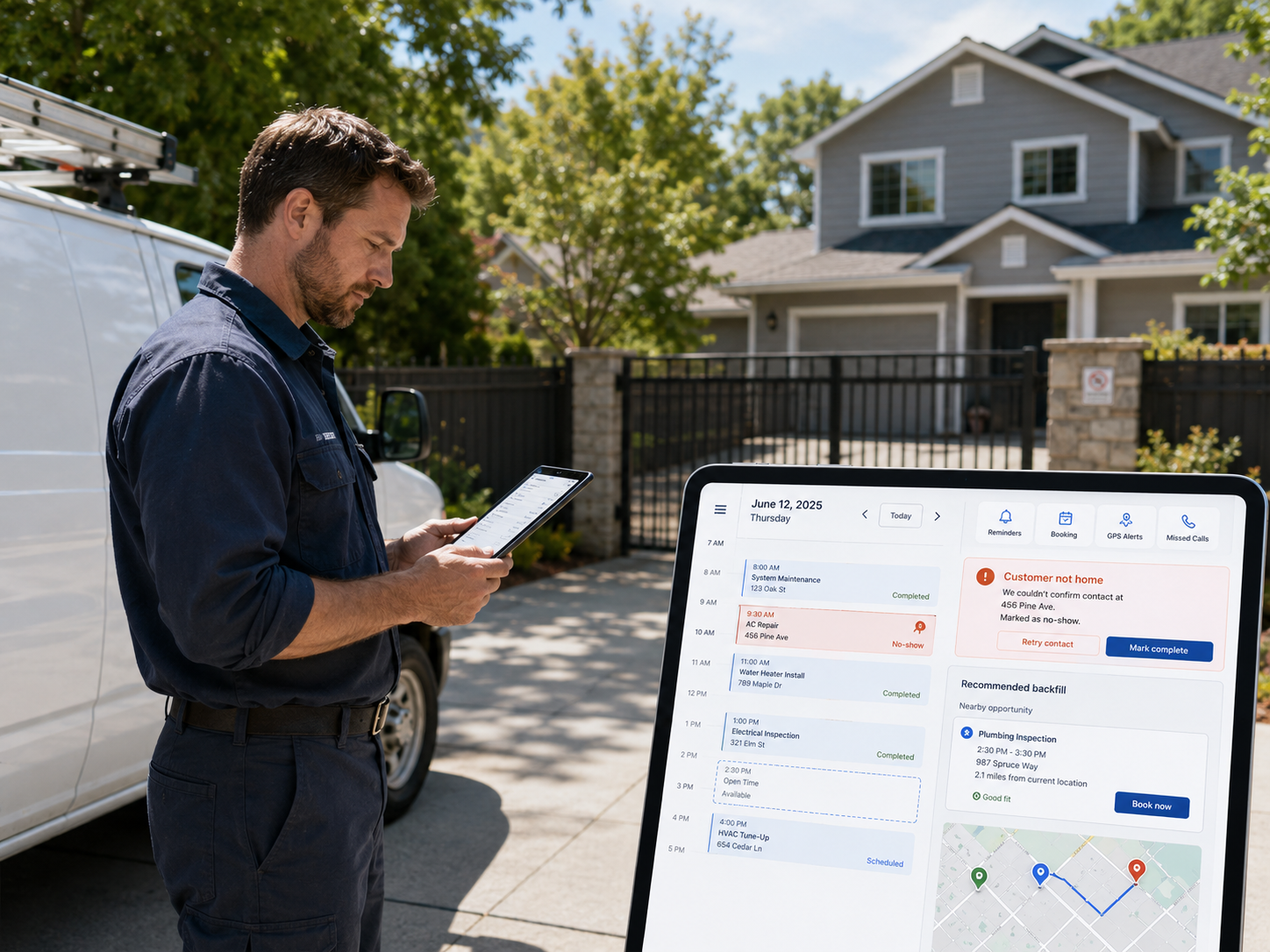
June No-Shows Cost $7K+: Field Service Management Software Fix
June no-shows can cost field service pros $7K+ a month. Here are 3 field service management software features that stop them before 2 PM.
See How Others Are Winning with FieldServ
Real results from real field service companies using FieldServ AI.
Read Case Studies