
Digital Payments for Contractors: How to Stop Losing Money on Every Job
Stop waiting weeks to get paid. Learn how digital payments, automated invoicing, and mobile collection help field service businesses improve cash flow and eliminate revenue leaks.
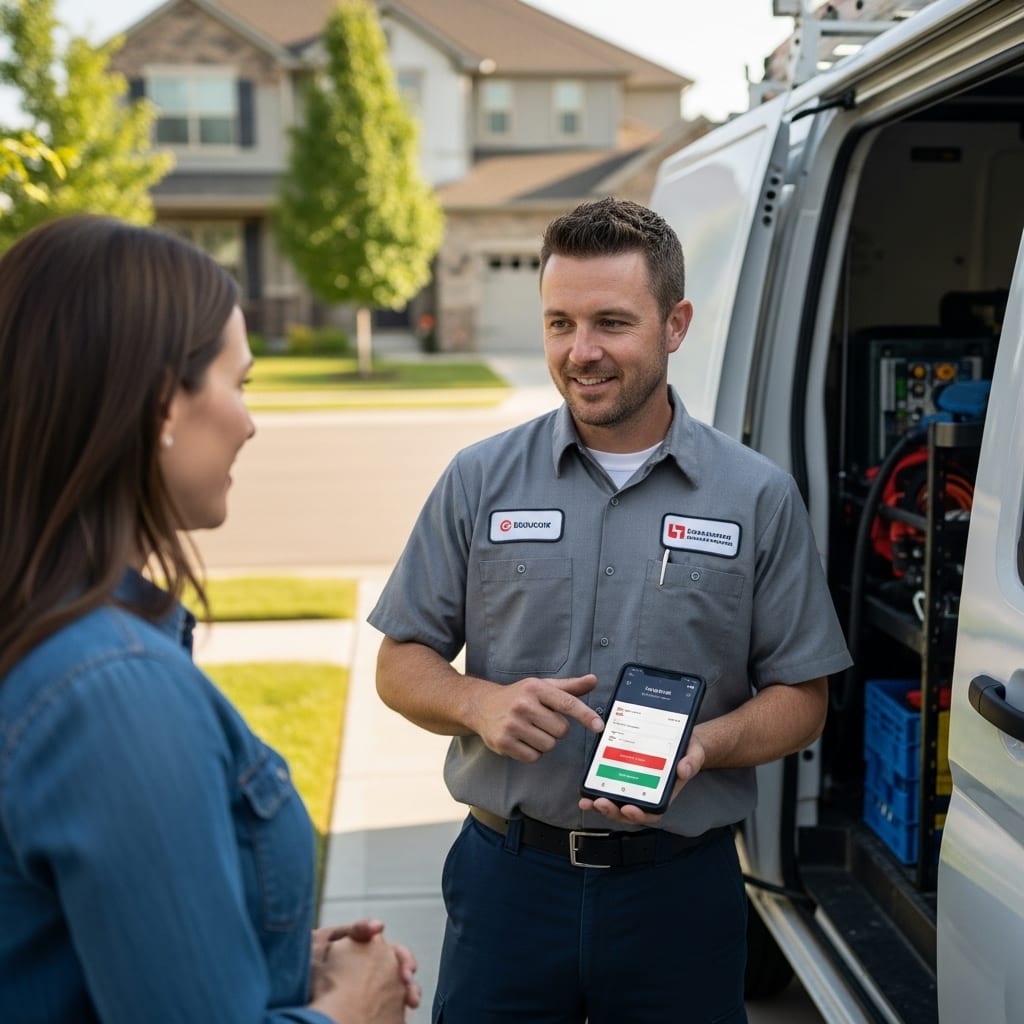
Every field service business owner knows the frustration of completing a job, billing the customer, and then waiting weeks to actually see the money. You did the work. You bought the parts. You paid your technician. But the cash still is not in your account, and the bills keep coming regardless.
This is not just an inconvenience. It is a revenue leak that quietly compounds over time. Many growing service businesses discover that fixing operational bottlenecks like billing and payment workflows is one of the biggest steps toward sustainable scaling. Industry banking research shows many construction and field service companies wait months on average to collect payment after invoicing, placing significant pressure on cash flow. When payment collection depends on paper invoices, manual follow-ups, and customers remembering to mail a check, money slips through the cracks on nearly every job. Industry data shows that best-practice contractors target 90 to 95 percent collection rates, but most field service businesses only achieve 60 to 70 percent. That gap represents thousands of dollars disappearing from your business every single year.
The good news is that digital payments have made it possible for HVAC contractors, plumbers, electricians, landscapers, and roofers to close this gap without overhauling their entire operation. The shift from manual billing to digital collection is not just a technology upgrade. It is a direct path to healthier cash flow, fewer headaches, and a more professional customer experience.
This guide breaks down exactly where field service companies lose money on payments, how digital solutions fix each problem, and what to look for when choosing the right system for your business.
Where Are Field Service Companies Losing Money on Payments?
How Do Paper Invoices and Manual Billing Create Hidden Costs?
The biggest cost of paper-based billing is not the paper itself. Industry payment studies show that many construction companies still rely on paper-based payment systems, which significantly slow collection timelines and increase administrative workload. It is the time between completing a job and collecting payment. Research across thousands of contractor invoices shows that companies sending invoices within 10 days of completing a job get paid significantly earlier than those waiting 20 or more days. That delay alone can push your average collection timeline out by nearly a month.
Manual invoicing also introduces errors that slow everything down. Wrong customer addresses, missing line items, unclear payment terms, and miscalculated totals all lead to disputes and resubmissions. Every disputed invoice extends the payment cycle, and every hour your office staff spends fixing billing mistakes is an hour they are not spending on revenue-generating work. When your technicians are still filling out paper forms on clipboards, those errors start in the field and multiply by the time they reach your accounting software.
What Happens to Revenue When Customers Cannot Pay on the Spot?
When a technician finishes a job and there is no way to collect payment immediately, you have just given the customer an interest-free loan. That is the reality for any contractor still relying on mailed invoices or next-day billing. A 30-day payment window can easily stretch to 60 or 90 days when overdue invoices fall through the cracks, especially during busy seasons when your team is focused on completing jobs rather than chasing money.
Cash-only collection creates its own problems. Customers rarely carry enough cash for unexpected repairs, large payments become a security risk for technicians in the field, and there is no automatic receipt trail to prevent disputes later. The more friction your payment process creates, the longer it takes to get paid, and the more revenue quietly leaks out of your operation.
How Do Mobile Payment Solutions Keep Cash Flowing After Every Job?
Why Is Collecting Payment in the Field a Game Changer for Contractors?
The single most effective way to improve cash flow is to collect payment the moment the work is done. Research on real-time payments shows that faster digital transactions improve liquidity by reducing delays between service completion and funds availability. Mobile payment solutions let technicians accept credit cards, debit cards, and digital wallets like Apple Pay or Google Pay right at the job site. The transaction processes in seconds, the customer gets an instant digital receipt, and the money starts moving to your account before the technician drives to the next appointment.
This eliminates the entire invoice-chase cycle. There is no waiting for office staff to generate a bill, no mailing delay, no hoping the customer opens their email, and no awkward follow-up calls two months later. Field collection also reduces the risk of non-payment because the job is still fresh in the customer's mind and the technician is standing right there to answer any questions about charges.
What Payment Methods Should Field Service Businesses Offer Customers?
Offering multiple payment options is not about convenience alone. It directly affects how quickly and consistently you get paid. Credit and debit cards remain the most widely used method, with over 80 percent of U.S. adults carrying at least one credit card. Federal Reserve consumer payment research shows continued growth in card and electronic payment usage compared to traditional cash transactions. Digital wallets are growing rapidly among younger homeowners. Federal Reserve payment studies confirm continued growth in digital wallets and electronic payment options as customers increasingly expect flexible ways to pay. ACH bank transfers appeal to customers who prefer not to use cards and typically carry lower processing fees for you.
The key is removing every possible barrier between job completion and payment. Surveys show a growing number of businesses adopting instant payment methods to reduce delays and improve cash flow reliability. When a customer can tap their phone or swipe a card on the spot, you eliminate the friction that turns completed work into outstanding receivables. Contractors who offer three or more payment methods see fewer late payments simply because customers can always find an option that works for them in the moment.
How Does Automated Invoicing Reduce Late Payments and Disputes?
Can Automated Payment Reminders Actually Improve Collection Rates?
Automated reminders take the uncomfortable human element out of chasing money. Automation is not only useful for payments. Many service companies already use automated follow-up strategies for service businesses to improve customer communication and retention. Most contractors hate making collection calls, which is exactly why overdue invoices pile up. When your system automatically sends a text or email reminder at 7 days, 14 days, and 30 days past due, those follow-ups happen consistently whether your office is busy or not. The reminder is professional, timely, and does not require anyone on your team to have an awkward conversation.
Platforms like FieldServ AI, built by LeadProspecting AI, can automate the entire sequence from invoice generation to payment reminders to receipt confirmation. This means your collection process runs in the background while your team stays focused on completing jobs and serving customers. Automated systems also make it easy to apply late fees consistently, which encourages on-time payment without damaging customer relationships.
How Does Digital Invoicing Protect Contractors from Billing Errors?
Digital invoicing pulls job details directly from the work order, which eliminates the manual re-entry that causes most billing mistakes. When a technician logs parts, labor hours, and service details in the field through a mobile app, that information flows straight into the invoice without anyone retyping it in the office. Line items match the work performed, taxes are calculated automatically, and payment terms are pre-set so nothing gets left off.
This accuracy matters more than most contractors realize. Billing errors do not just delay individual payments. They erode customer trust and create a reputation for disorganization. Clean, itemized digital invoices that arrive promptly after service show customers you run a professional operation. That professionalism translates directly into faster payments and fewer disputes over charges.
What Should Contractors Look for in a Digital Payment System?
How Do Processing Fees Compare Across Payment Platforms?
Processing fees are a real cost, but they should be weighed against the revenue you recover by getting paid faster and more consistently. Credit card transactions typically cost between 2.5 and 3.5 percent per transaction. ACH payments run significantly lower, often around 1 percent plus a small flat fee. Mobile wallet transactions generally fall in line with credit card rates.
The math usually works in favor of digital. If accepting cards costs you 3 percent on a $500 job, that is $15. But if paper invoicing and manual collection mean you wait an extra 30 to 60 days for payment, or worse, never collect at all, that $15 fee looks like a bargain. Many contractors build processing fees into their pricing so the cost becomes invisible. The priority should be choosing a processor with transparent, flat-rate pricing and no hidden monthly charges that eat into your margins.
Why Does Payment Integration with Field Service Software Matter?
Standalone payment apps solve one problem but create another when your payment data lives in a separate system from your job management, scheduling, and accounting. Integrated payment processing means that when a customer pays in the field, that transaction automatically syncs with the invoice, updates the job status, and flows into your accounting software without anyone touching it.
This integration eliminates double data entry, reduces reconciliation errors, and gives you real-time visibility into exactly who has paid and who has not. FieldServ AI builds this integration directly into the platform so that the workflow from job completion to invoice to payment to QuickBooks sync happens automatically. When your payment system talks to your scheduling, dispatching, and accounting tools, you spend less time on admin and more time running your business.
The Bottom Line
Every manual step in your payment process is a place where money leaks out of your business. Digital payments close those gaps by collecting money at the job site, automating invoicing and reminders, reducing errors, and giving customers the flexible options they expect. The contractors who make this shift do not just improve cash flow. They build more professional, scalable operations that win more repeat business. If chasing payments is eating into your time and revenue, it is worth exploring how the right digital tools can change that.
Frequently Asked Questions
How can contractors get paid faster after completing a job? The fastest way to get paid is to collect payment at the job site using a mobile payment solution. When technicians can accept credit cards, debit cards, or digital wallets on the spot, the entire invoice-and-wait cycle disappears. Contractors who collect at the point of service see dramatically shorter payment timelines compared to those who mail invoices after the fact. Setting clear payment terms upfront and offering multiple payment options also reduces delays.
What is the best payment method for field service companies? Credit and debit cards are the most widely accepted and fastest to process for field service work. ACH transfers offer lower fees and work well for recurring service agreements. Digital wallets like Apple Pay and Google Pay are growing in popularity, especially with younger homeowners. The best approach is to offer all three so customers always have a convenient option available when the job is done.
How much do payment processing fees cost contractors? Credit card processing fees typically range from 2.5 to 3.5 percent per transaction. ACH payments usually cost around 1 percent plus a small flat fee per transaction. Some platforms charge additional monthly fees on top of per-transaction costs. Contractors should look for transparent flat-rate pricing and compare total cost rather than just the per-swipe rate.
Why do so many contractors struggle with cash flow even when business is good? The gap between completing work and collecting payment is the primary cause. When invoices go out late, payment terms stretch to 60 or 90 days, and follow-up is inconsistent, cash stops flowing even though revenue looks strong on paper. Manual billing processes, limited payment options, and uncomfortable collection conversations all contribute to the problem.
How does automated invoicing help reduce late payments? Automated invoicing sends bills immediately after job completion and follows up with scheduled reminders at set intervals. This removes the human bottleneck of manually generating invoices and making collection calls. Consistent, automatic follow-up significantly reduces the number of invoices that slip past their due dates because customers receive timely, professional reminders without anyone on your team having to chase them.
Should field service businesses charge late fees on overdue invoices? Late fees can be an effective incentive for on-time payment when they are communicated clearly upfront. Include late fee terms in your service agreement and on every invoice so customers know what to expect. A flat fee or small percentage added after 30 days encourages prompt payment without damaging the relationship, especially when paired with automated reminders that give customers advance notice before the fee applies.
What should contractors look for when choosing a digital payment platform? Look for transparent processing fees, integration with your existing field service and accounting software, mobile capability for field collection, support for multiple payment methods, and automated invoicing with reminder sequences. Security features like encryption and PCI compliance are also essential. The best platforms connect payments directly to your job management system so data flows automatically without manual entry.
How does digital payment processing integrate with accounting software like QuickBooks? Integrated payment platforms sync transaction data directly with QuickBooks or similar accounting software. When a customer pays in the field or through a digital invoice, the payment automatically records against the correct invoice, updates the job status, and appears in your accounting ledger. This eliminates manual data entry, reduces reconciliation errors, and gives you accurate real-time financial reporting.
Is it safe for technicians to collect digital payments in the field? Digital payment collection is significantly safer than handling cash or checks. Mobile payment processors encrypt all transaction data during processing, so sensitive financial information is protected. Technicians do not carry cash, customers receive instant digital receipts, and every transaction creates an automatic record. This protects both the business and the customer from fraud or disputes.
How quickly can a field service business switch to digital payments? Most digital payment solutions can be set up within a few days to a week. Basic setup involves choosing a payment processor, connecting it to your field service software, and training technicians on the mobile collection process. Platforms like FieldServ AI are designed for fast onboarding so contractors can start collecting digital payments quickly without disrupting their current workflow.
Written by
FieldServ AI Team
Field service management insights from the FieldServAI team.
Related Articles

Field Service Management Software: 6 Fixes for June Revenue Leaks
June is your busiest and leakiest month. Here are 6 field service management software features that stop revenue leaks and keep multi-crew operations profitable.

The August Margin Leak: Why Peak Season Kills Profit
Contractors lose margin in busy months, not slow ones. Here are four peak-season leaks that never reach your revenue report, the math behind them, and why weekly margin review beats a monthly close.

Field Service Management Software: Set It Up in 48 Hours, No IT
Think field service management software needs IT skills? Myth busted. Here's the exact 48-hour, no-code setup plan solo contractors use to go live.
Ready to Modernize Your Field Operations?
FieldServ AI helps service companies streamline scheduling, dispatching, and customer management.
Get Started Free