TL;DR:
Small contractors waste 10-13 hours weekly and $300+ monthly juggling disconnected apps for scheduling, invoicing, CRM, and payments. This fragmentation causes missed leads, delayed payments, and communication breakdowns that cost thousands in lost revenue. An all-in-one field service management (FSM) system consolidates these tools into a single platform, reducing admin time by 30-40%, improving cash flow, and eliminating costly errors. For contractors managing single or multi-location operations—from Twin Falls to Southern California—consolidation isn’t just convenient, it’s essential for profitability and growth.
It’s 2:47 PM on a Tuesday in Twin Falls. Your lead from the website contact form still hasn’t made it into your scheduling app. Your technician in Burley just called—he can’t find the customer’s service history because it’s in a different system. Your invoice from yesterday’s job in Jerome is stuck in your payment processor, and you’re not sure if the customer even received it.
Sound familiar?
The average small contractor uses 6-8 different applications to run their business. Each app solves one problem but creates new problems: data silos, manual re-entry, and missed handoffs between systems. According to research from Harvard Business Review, this constant task-switching reduces worker productivity by 20-40%.
This is why more contractors are switching to an all-in-one FSM (field service management system)—a unified platform that handles scheduling, dispatch, customer management, invoicing, payments, and communication without the chaos of app-hopping.
Whether you’re running crews in one location or managing teams across state lines like Phantom Screens (operating in both Twin Falls and Southern California), fragmented tools cost you time, money, and customers. Let’s break down exactly why consolidation matters and how to make the transition.
The Hidden Costs of Multiple Tools
Time Drain: The Productivity Tax You’re Already Paying
Harvard Business Review’s research on workplace productivity reveals that workers lose 20-40% of their productivity when constantly switching between applications. For contractors, this isn’t an abstract statistic—it’s real money walking out the door.
Let’s do the math. If your office manager spends 90 minutes per day toggling between scheduling software, CRM systems, invoicing tools, and payment processors, that’s 7.5 hours per week. At $50 per hour, you’re losing $15,000-$20,000 annually in pure productivity drain—and that’s just one employee.
Multiply this across your entire team, and the numbers become staggering. Your dispatcher switches between the scheduling app and customer database. Your technicians text photos to the office because the field app doesn’t sync with the documentation system. Your bookkeeper manually exports data from three different platforms to reconcile in QuickBooks.
Each handoff is an opportunity for errors, delays, and frustration.
Revenue Leakage: The Leads You Never Knew You Lost
Fragmented systems don’t just waste time—they actively lose you money through missed opportunities.
Consider this: According to industry data on lead response times, 78% of leads never convert simply because there’s no timely follow-up. When your website form submissions land in one system, your scheduling lives in another, and your CRM is somewhere else entirely, leads fall through the cracks.
Here’s what that looks like in real numbers:
- You generate 50 website inquiries per month
- 35% never receive timely follow-up due to system gaps
- That’s 17 lost opportunities every month
- At an average job value of $2,500, you’re leaving $42,500 on the table monthly
Payment delays compound the problem. When invoices are manually sent via email, they land in spam folders, get overlooked, or the customer claims they “never received it.” The result? Cash flow problems that prevent you from buying materials for the next job or bidding on larger projects.
A Small Business Administration study found that cash flow issues are the leading cause of small business failure. When you’re waiting 45-60 days for payment because your invoicing system is disconnected from your payment processor, you’re not just losing time—you’re risking your entire operation.
Communication Breakdowns: When Your Left Hand Doesn’t Know What Your Right Hand Is Doing
Picture this scenario from a Twin Falls contractor’s day:
Your technician arrives at a job site in Kimberly. The customer mentions, “I called last week about the warranty issue.” Your tech has no record of it—that conversation is logged in a different system he can’t access from his phone. He improvises, promises to “check with the office,” and the customer’s frustration is visible.
Or consider this: Your office books a job for 10 AM in Burley using Google Calendar. Your field manager, working from a separate dispatch tool, schedules the same technician for a Filer appointment at 10:30 AM—45 minutes away. The technician discovers the conflict at 9:45 AM while already en route. One customer gets rescheduled, writes a 1-star review, and you spend the next week doing damage control.
These aren’t hypothetical scenarios. They happen daily to contractors running fragmented tool stacks.
Imagine a Phantom Screens installer finishing a job in Twin Falls at 4 PM. He takes photos on his phone, fills out a paper work order, and texts the office. The office manager manually enters the information into QuickBooks, then copies the customer’s email into a separate system for review requests. What should take 5 minutes becomes 2 hours of administrative work—work that generates zero revenue and introduces multiple opportunities for error.
Why Consolidation Matters: The Value of One Platform
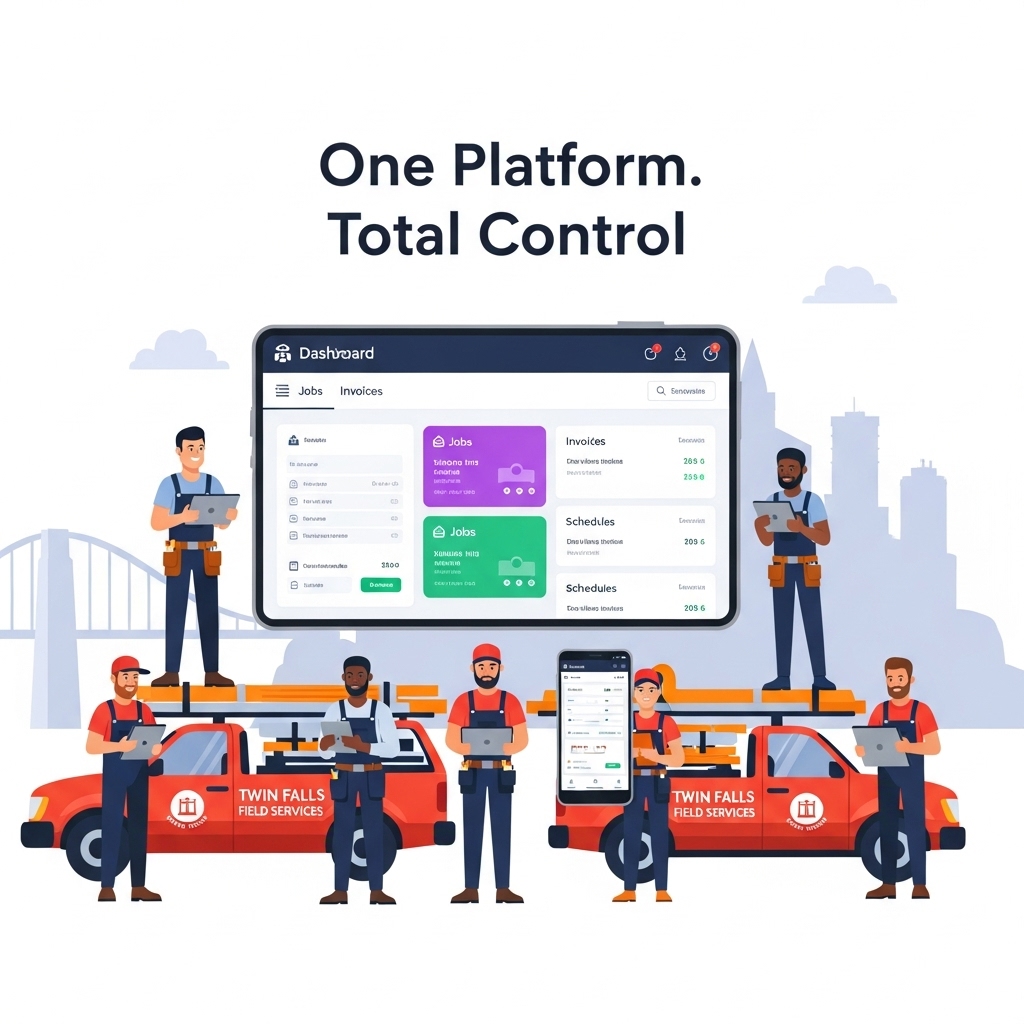
An all-in-one FSM eliminates this chaos by centralizing everything—scheduling, dispatch, customer data, invoicing, payments, and communication—into a single, integrated platform.
Single Source of Truth: No More “Which App Has That Information?”
When everything lives in one system, your entire team works from the same real-time data. Your dispatcher sees what your technicians see. Your bookkeeper accesses the same customer records as your sales team. Nobody asks, “Which app has the customer’s phone number?” because there’s only one place to look.
This single source of truth means:
- Complete job history with photos, notes, and invoices in one customer record
- Technicians access everything they need from their mobile device
- Real-time updates visible to everyone simultaneously
- No duplicate entries or conflicting information across systems
For a business like Phantom Screens managing operations in both Twin Falls and Southern California, this visibility is transformative. The owner can view real-time job status, technician locations, and revenue metrics across both markets without logging into four different dashboards or compiling spreadsheet reports.
Mobile-First for Field Technicians: Your Business in Their Pocket
Contractors spend 70% of their time in the field, not behind a desk. Your technology needs to reflect that reality.
A proper mobile-first FSM puts your entire operation in your technicians’ pockets. They can:
- Access complete job details, customer history, and special instructions before arrival
- View optimized routes with real-time traffic updates
- Capture photos and videos that automatically attach to customer records
- Collect digital signatures for work completion
- Generate and send invoices on-site for immediate payment
- Update job status in real-time so dispatch always knows their location and availability
The mobile capabilities that matter most include offline functionality—critical for contractors working in basements, rural Idaho areas, or commercial buildings with poor cell coverage. When connectivity returns, all data syncs automatically without manual intervention.
Reduced Training Time: Get New Hires Productive Faster
Training a new office manager on six different applications takes 2-3 weeks. Each system has its own login, interface, quirks, and workflows. By the time they’ve mastered your scheduling app, they’ve forgotten half of what you taught them about the CRM.
Training on a unified platform takes 3-5 days. One login. One interface. One workflow that mirrors how your business actually operates.
This efficiency matters beyond onboarding. Lower training requirements mean:
- Reduced turnover because employees aren’t overwhelmed by complexity
- Faster recovery when team members are sick or on vacation
- Greater confidence among staff, leading to better customer interactions
- More time spent on revenue-generating activities instead of tech support
Real-World Efficiency Gains: The Numbers That Matter
Contractors who consolidate their tool stacks report measurable improvements:
Time savings: 30-40% reduction in administrative hours, according to field service management research. For a team spending 20 hours weekly on admin tasks, that’s 6-8 hours recovered—time that can be redirected to actual fieldwork or business development.
Increased capacity: 15-20% more jobs completed per week due to better routing, reduced downtime, and elimination of scheduling conflicts. For a contractor completing 20 jobs weekly, that’s 3-4 additional revenue opportunities without hiring additional staff.
Improved cash flow: Payment cycles reduced from 45 days to 7-10 days through automated invoicing with integrated payment processing. This acceleration in cash conversion means materials for next week’s jobs are paid for by this week’s completions.
Let’s look at this in a side-by-side comparison:
| Fragmented Tool Stack | All-in-One FSM |
|---|---|
| 6+ monthly subscriptions ($300-500) | 1 subscription ($150-250) |
| 10-12 hours/week on admin tasks | 3-4 hours/week on admin tasks |
| Manual data entry between systems | Automatic sync across all features |
| Missed appointments from sync errors | Real-time updates to all users |
| 2-3 weeks to train new hires | 3-5 days to train new hires |
| Payment cycles of 45+ days | Payment cycles of 7-10 days |
| Lead response time: hours or days | Lead response time: minutes |
Real-World Scenarios: Fragmented vs. Consolidated Workflows
Scenario 1: The Lost Lead
Fragmented workflow:
Sarah runs an HVAC company in Twin Falls. A potential customer fills out a quote request on her website at 8 PM on Wednesday. The form submission goes to her email inbox. She sees it Thursday morning at 10 AM and manually adds the lead to her CRM. She creates a note to assign it to a technician but gets pulled into a customer call. By 2 PM, she remembers the lead and reaches out—but the customer has already called two competitors and scheduled service with the one who responded within 30 minutes.
Lost job value: $3,500
Consolidated workflow with an all-in-one FSM:
The form submission triggers an instant automated email: “We received your request! Our team will contact you within 1 business hour. In the meantime, here’s a link to our calendar if you’d like to schedule directly.”
Simultaneously, the lead automatically enters the CRM with a “Hot Lead – HVAC Quote” tag. A task is created for the sales team with all form details attached. The system sends a text notification to the on-call estimator. From form submission to first contact: 90 seconds.
The lead books an appointment through the embedded calendar link before the automated follow-up even goes out. The appointment syncs directly to the technician’s schedule with driving directions, customer information, and service request details.
Job secured before competitors even see the inquiry.
Scenario 2: The Invoice That Never Arrived
Fragmented workflow:
Mike, an electrical contractor in Burley, finishes a $2,000 commercial job. He handwrites an invoice on a carbon-copy pad, takes a photo with his phone, and emails it to the customer’s accounts payable department. The email lands in their spam folder. Mike follows up two weeks later. The AP department requests a “proper invoice on company letterhead.” Mike recreates it in Word, emails it again. Payment finally arrives 45 days after job completion.
Cash flow impact: Mike can’t bid on a lucrative new project because his working capital is tied up in outstanding receivables. He misses the deadline, and a competitor wins the contract.
Consolidated workflow with an all-in-one FSM:
Mike marks the job complete in his mobile app. The system automatically generates a professional invoice with:
- Company branding and logo
- Itemized services and materials
- Before/after photos attached
- Digital signature captured on-site
- Integrated payment link
The invoice is sent simultaneously via SMS and email. The customer clicks the payment link and pays via credit card from their phone. Payment appears in Mike’s account within 2 business days.
Total time from job completion to payment: 48 hours instead of 45 days.
Scenario 3: The Double-Booked Technician
Fragmented workflow:
A plumbing company uses Google Calendar for scheduling and a separate dispatch tool for job assignments. The office manager books a water heater installation in Jerome at 10 AM. Thirty minutes later, the field supervisor—working from the dispatch system—books the same technician for an emergency service call in Twin Falls at 10:30 AM, not realizing the Jerome job will take 2-3 hours.
The technician discovers the conflict at 9:45 AM while loading his truck. He calls the office. The emergency call gets priority, so the Jerome customer receives a rushed apology call explaining their installation is being rescheduled. The frustrated customer cancels entirely and calls a competitor.
Lost revenue: $3,200 Reputation damage: 1-star Google review that takes months to recover from
Consolidated workflow with an all-in-one FSM:
When the field supervisor attempts to book the 10:30 AM job, the unified scheduling system immediately alerts: “Conflict detected—Tech A already assigned to Jerome installation (estimated 2-3 hours). Suggest Tech B, currently 12 minutes from job site.”
The supervisor accepts the suggestion. Tech B receives the dispatch notification with customer details, driving directions, and service history. The customer receives an automated text: “Your plumber will arrive between 10:30-11:00 AM. Track their arrival in real-time: [link].”
No conflicts. No cancelled jobs. No negative reviews.
Data-Driven Insights: The ROI of Consolidation
The Productivity Research You Need to Know
Harvard Business Review’s research on workplace multitasking demonstrates that task-switching reduces productivity by 20-40%. McKinsey research shows that workers spend 28% of their workweek managing email and toggling between applications—that’s more than 11 hours per week.
For contractors, this translates to direct financial impact:
10 hours per week lost to app-switching × 50 weeks × $50/hour = $25,000 per employee annually
For a small contractor with just 3 office staff, that’s $75,000 in lost productivity—enough to hire another full-time technician or invest in significant business growth.
Cost Breakdown: Fragmented Stack vs. Unified Platform
Typical fragmented tool stack monthly costs:
- Scheduling application: $50
- CRM system: $75
- Payment processor: $30 (plus transaction fees)
- SMS communication tool: $40
- Review management platform: $30
- Accounting software integration: $50
- Total: $275/month minimum
Plus hidden costs:
- 10-13 hours weekly of administrative overhead
- Missed leads from system gaps
- Payment delays from manual invoicing
- Training time for new employees
- IT troubleshooting when systems don’t sync
All-in-one FSM investment:
- $150-250/month for comprehensive platform
- Immediate savings: $25-125/month on subscriptions
- Time recovered: 6-8 hours weekly per user
- Productivity gains: 30-40% reduction in admin tasks
At a conservative estimate of 6 hours recovered weekly at $50/hour, that’s $15,600 annually in recaptured productive time—per employee.
Revenue Impact: The Opportunities You’re Currently Missing
Faster lead response drives conversions:
Research from Harvard Business Review shows that companies responding to leads within 5 minutes are 9 times more likely to convert than those responding within 30 minutes. Yet contractors using fragmented systems often take hours or even days to respond—by which time the customer has already hired someone else.
Fewer missed jobs through error elimination:
Scheduling conflicts, forgotten appointments, and miscommunication cause 25-30% of no-shows and cancellations in fragmented systems. Eliminating these errors alone can increase completed jobs by dozens annually. For a contractor averaging $2,000 per job, recovering just 20 lost jobs yearly means $40,000 in additional revenue.
Better cash flow through automated invoicing:
The U.S. Small Business Administration emphasizes that consistent cash flow is critical for small business survival. Reducing payment cycles from 45 days to 7-10 days through automated invoicing and integrated payment processing means your working capital turns over 4-6 times faster.
This acceleration allows you to:
- Purchase materials without waiting for previous job payments
- Bid on larger projects with confidence in cash availability
- Take advantage of supplier early-payment discounts
- Build emergency reserves for equipment repairs or slow seasons
Time Savings Breakdown
Based on field service industry benchmarks and contractor time-tracking studies, here’s how consolidation recovers your week:
Before consolidation:
- Administrative tasks: 6 hours/week
- Communication and follow-ups: 4 hours/week
- Manual data entry: 3 hours/week
- System troubleshooting: 1 hour/week
- Total: 14 hours/week of non-revenue work
After consolidation:
- Administrative tasks: 2 hours/week
- Communication and follow-ups: 1 hour/week
- Manual data entry: 0.5 hours/week
- System troubleshooting: 0.25 hours/week
- Total: 3.75 hours/week
Recovered time: 10.25 hours weekly = 530 hours annually
At $50/hour, that’s $26,500 in annual value returned to productive work—per employee using the system.
Practical Steps for Small Contractors to Consolidate
Step 1: Audit Your Current Tool Stack
Start with brutal honesty about what you’re actually using and what it’s costing you.
Create a spreadsheet listing:
- Every application you pay for (including ones you “forgot about”)
- Monthly cost per application
- Who uses it and how often
- What features you actually utilize (versus what you pay for)
- Which apps have overlapping functionality
Most contractors discover they’re paying for features they never use, or worse, paying for multiple apps that do the same thing.
Use this checklist to identify red flags:
- You’re manually entering the same data into multiple systems (customer information, job details, scheduling)
- Your team regularly asks “Which app has the customer info?” because data lives in multiple places
- You’ve missed jobs because leads didn’t automatically sync from your website to your scheduling system
- You’re paying $250+ monthly for 4+ subscriptions with overlapping features (scheduling, communication, CRM)
- Training new hires takes 2+ weeks because they need to learn multiple disconnected systems
If you checked three or more boxes, consolidation will likely save you significant time and money.
Step 2: Identify Your Must-Have Features
Not all field service management platforms are created equal. Before evaluating options, list your non-negotiables:
Core functionality:
- Smart scheduling and dispatch with GPS routing
- Mobile app for technicians (with offline capability for rural areas or basements)
- Two-way customer communication (SMS and email)
- Professional invoicing with integrated payment processing
- Basic CRM for customer history and notes
Advanced features worth considering:
- Automated review requests after job completion
- Before/after photo capture with automatic attachment to customer records
- Digital signature collection on mobile devices
- Real-time technician tracking and ETA updates for customers
- Customizable automated workflows for appointment reminders and follow-ups
For multi-location operations (like contractors managing Twin Falls and Southern California markets):
- Unified dashboard showing all locations
- Location-specific scheduling and dispatch
- Consolidated reporting across markets
- Role-based permissions for regional managers
Step 3: Look for True Integration, Not Just “Works With”
Many platforms claim integration capabilities but require Zapier subscriptions, manual API configuration, or expensive developer support. True integration means the systems communicate natively without middleware.
Test this during demos:
- “If I capture a lead through my website form, does it automatically create a customer record and job in my scheduler?”
- “When a technician completes a job on their mobile app, does it immediately trigger invoice generation and payment?”
- “Can my bookkeeper access completed job data in our accounting software without exporting and importing files?”
Consider platforms that connect operations with marketing and lead generation. For example, field service management solutions like FieldServ AI can integrate with lead generation platforms like LeadProspecting AI to create a complete business ecosystem. This connection means website visitors automatically become scheduled jobs without any manual handoff—the kind of seamless experience that prevents the lost leads we discussed earlier.
For contractors serious about growth, LeadProspecting AI’s Founders Club offers lifetime pricing on comprehensive marketing automation that connects directly with operational systems—limited to the first 200 members who want to lock in founding rates before prices increase.
Step 4: Plan a 30-Day Transition
Don’t attempt a “big bang” cutover where you shut down all existing systems on a Friday and hope everything works Monday morning. Plan a gradual transition that minimizes disruption:
Week 1: Setup and data migration
- Configure new platform with your branding, service offerings, and pricing
- Import customer database (most platforms offer assisted migration)
- Set up user accounts and permissions
- Create standard templates for quotes, invoices, and communications
Week 2: Train office staff
- Focus on core daily workflows (scheduling, dispatch, customer communication)
- Run parallel systems—enter data in both old and new platforms
- Document any questions or issues for vendor support
Week 3: Train field technicians
- Install mobile app on all devices
- Practice completing jobs in shadow mode (still using old system as backup)
- Focus on essential features: viewing job details, updating status, capturing photos, collecting signatures
Week 4: Full cutover
- Deactivate old systems (but maintain data access for reference)
- Monitor closely for any issues or gaps
- Celebrate with the team—acknowledge that learning new systems is challenging
A Twin Falls contractor could start by moving scheduling and dispatch to a unified platform in Week 1, add invoicing and payment processing in Week 2, then layer in customer communication automation in Week 3. This phased approach reduces overwhelm and allows time to adjust workflows before moving to the next component.
Conclusion: From Chaos to Control
Every minute spent toggling between apps is a minute you’re not spending growing your business. Every lead that falls through system cracks is revenue walking out the door. Every delayed payment puts your cash flow at risk and limits your ability to take on larger, more profitable projects.
An all-in-one FSM isn’t just about convenience—it’s about running a more profitable, scalable business that doesn’t rely on heroic effort to function. Whether you’re a one-truck operation in Twin Falls or managing teams across Idaho and California like Phantom Screens, consolidation eliminates chaos and puts you back in control.
The numbers don’t lie:
- $25-125 monthly savings on subscription costs alone
- 10-13 hours weekly recovered from reduced administrative burden
- 25-30% fewer scheduling errors and missed appointments
- 15-20% increase in completed jobs through better routing and capacity utilization
- Payment cycles reduced from 45 days to 7-10 days, transforming your cash flow
Ready to stop juggling apps and start growing your business? Begin by auditing your current tool stack. Calculate exactly how much time and money you’re losing to fragmented systems. Document the leads that slipped away, the invoices still outstanding from 60 days ago, and the scheduling conflicts that cost you customers.
Then explore platforms that put scheduling, dispatch, customer management, invoicing, and payments in one unified system—from the moment a lead hits your website through job completion and payment collection.
For contractors looking to build a complete business growth system, operational platforms like FieldServ AI integrate seamlessly with marketing and lead generation tools like LeadProspecting AI. This partnership creates the full lifecycle: capture leads through professional websites, automatically convert them to scheduled jobs, manage field operations efficiently, and collect payments immediately upon completion.
The question isn’t whether you can afford to consolidate. It’s whether you can afford not to.
Frequently Asked Questions
What is an all-in-one FSM and how much can small contractors in Twin Falls save?
An all-in-one FSM (field service management) system consolidates scheduling, dispatch, customer management, invoicing, and payments into a single unified platform. Small contractors in Twin Falls typically save $25-125 monthly on subscription costs by eliminating redundant apps, plus recover 10-13 hours weekly that were previously spent on administrative tasks and app-switching. At $50/hour, that’s over $26,000 annually in recaptured productive time per employee.
How does field service software consolidation reduce missed leads?
Consolidated systems eliminate the gaps where leads fall through. When your website form submissions automatically create customer records, trigger instant confirmation messages, and generate tasks for your sales team—all in the same platform as your scheduling—response time drops from hours to minutes. Research shows companies responding within 5 minutes are 9 times more likely to convert leads than those responding within 30 minutes.
What are the top 3 signs my tool stack is costing my business money?
First, if you’re manually entering the same data into multiple systems (customer info, job details, scheduling), you’re wasting 3-5 hours weekly per person. Second, if leads from your website don’t automatically appear in your scheduling system, you’re losing 30-35% of potential customers to competitors who respond faster. Third, if your monthly subscription costs exceed $250 for scheduling, CRM, invoicing, and communication tools separately, you’re overpaying by $100-300 monthly for disconnected functionality.
Can small contractors with multi-location operations (like Twin Falls and SoCal) use one FSM platform?
Yes—quality FSM platforms provide unified dashboards showing real-time operations across all locations. An owner can view technician status, job completion rates, and revenue metrics for both Twin Falls and Southern California operations simultaneously without logging into separate systems. Location-specific scheduling, dispatch, and reporting capabilities maintain operational independence while providing consolidated business visibility.
How much time can I realistically save by switching to an all-in-one FSM?
Based on field service industry time-tracking studies, contractors save 10-13 hours weekly after consolidation. This comes from eliminating manual data entry (3 hours), reducing communication and follow-up time through automation (3 hours), cutting administrative tasks by 30-40% (4 hours), and eliminating system troubleshooting (1 hour). For a small contractor, that’s 530+ hours annually—equivalent to hiring a quarter-time employee.
Is it difficult to train my technicians on a unified platform?
Training on a unified platform takes 3-5 days compared to 2-3 weeks for multiple disconnected apps. Technicians learn one interface, one login, and one workflow that mirrors how jobs actually progress. Most field technicians become comfortable with core features—viewing job details, updating status, capturing photos, collecting signatures—within their first day of actual use.
How does tool stack optimization improve customer satisfaction?
Consolidated systems enable faster lead response (minutes instead of hours), eliminate scheduling conflicts that cause missed appointments, provide real-time technician tracking and ETA updates, allow on-site invoicing and immediate payment, and trigger automated review requests after job completion. Customers experience professional, seamless service from first contact through final payment—the kind of experience that generates 5-star reviews and referrals.
What metrics should I track to measure ROI after consolidating tools?
Track lead response time (goal: under 5 minutes), conversion rate from lead to scheduled job, job completion rate (target: 95%+), average payment cycle length (goal: under 10 days), administrative hours per week, customer satisfaction scores, and online review ratings. Most contractors see measurable improvements within the first 30 days, with full ROI realized within 90 days through increased job capacity and reduced overhead.
Do all-in-one FSM platforms work offline for field technicians in rural Idaho?
Quality FSM platforms include robust offline functionality, allowing technicians to access job details, update work status, capture photos, and collect signatures even in basements, rural areas, or commercial buildings with poor cell coverage. All data syncs automatically when connectivity returns, ensuring no information is lost. This capability is essential for contractors working throughout Idaho where cell service can be spotty outside major cities.
How can I connect my website lead forms to my field service scheduling system?
The best approach is choosing platforms designed to work together from the start. For example, marketing platforms like LeadProspecting AI that specialize in contractor websites can integrate directly with operational systems like FieldServ AI. When a potential customer fills out your quote request form, it automatically creates a customer record, generates a task for follow-up, and can even allow direct calendar booking—all without manual intervention. This seamless handoff from marketing to operations is what prevents leads from falling through the cracks.